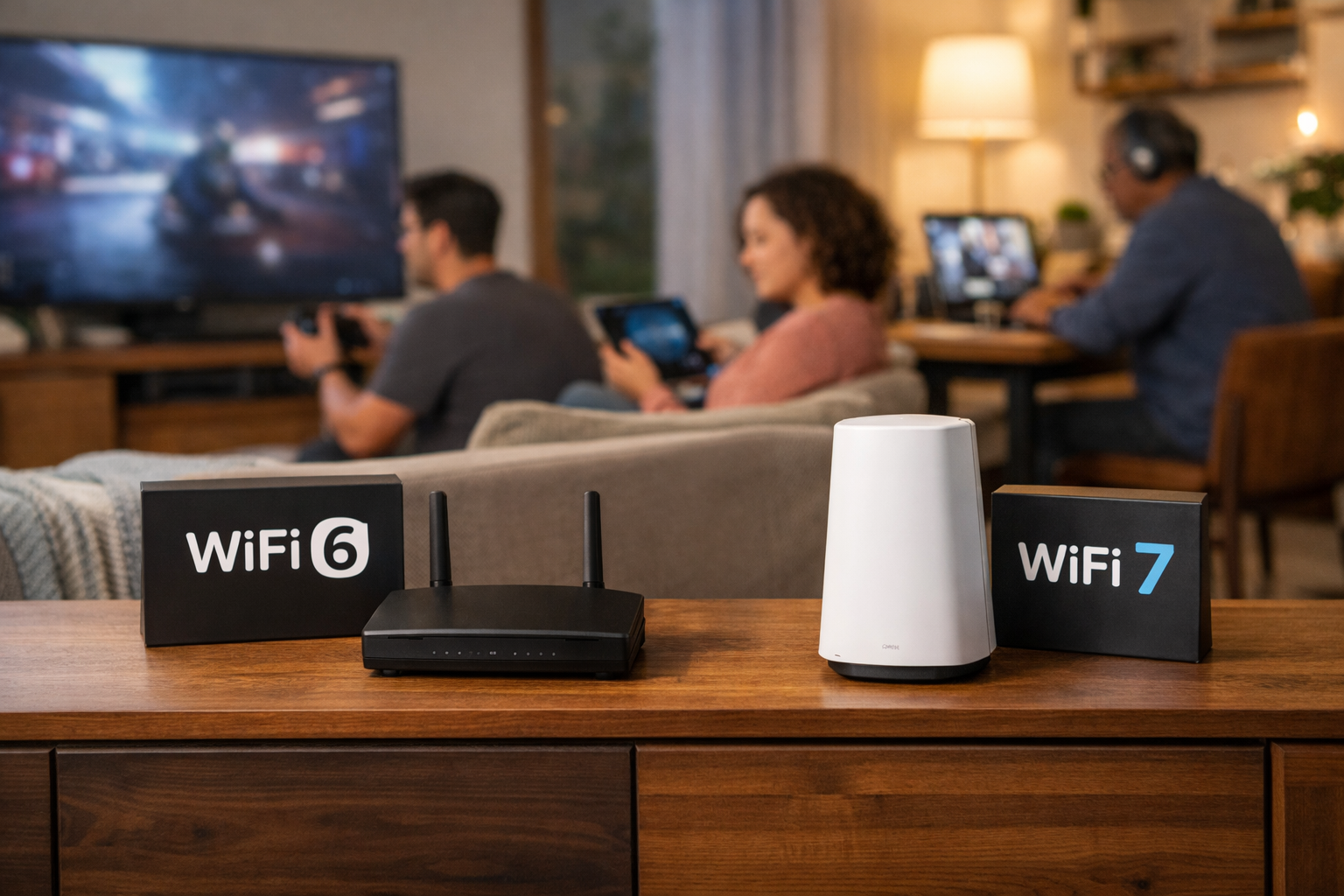


If you're considering upgrading your internet service or equipment to embrace the latest and greatest in Wi-Fi technology, a big question probably pops into your mind: Will my older devices still work? It’s a completely reasonable concern. We all have a mix of devices in our homes, from the newest smart speaker to that tried-and-true laptop from a few years ago. The great news is that Wi-Fi 7 is designed to be backwards compatible, which helps keep your current technology connected. Quantum Fiber offers its customers a Quantum Wi-Fi 7 wired pod, also known as a router, that help keep their devices wirelessly connected.
Key takeaways
- Yes, Wi-Fi 7 is backwards compatible: The new standard is built to work with devices that use older standards like Wi-Fi 6E, Wi-Fi 6, Wi-Fi 5, and even Wi-Fi 4.
- Older devices will still connect, but at their own speed: Your trusty older gadgets will connect to your new Wi-Fi 7 equipment, but they will operate at their maximum speed based on their older Wi-Fi technology, not the full speed and features of Wi-Fi 7.
- New frequencies can pose an issue: Older devices that don't support the 6 GHz band introduced with Wi-Fi 6E may not see or fully benefit from the new network.
- Firmware is critical: Even devices with compatible hardware may require the latest firmware or operating system (OS) updates to properly "shake hands" with an advanced Wi-Fi technology router.
- Quantum Fiber helps provide a future-ready network: By having a fiber internet foundation with symmetrical speeds on most plans, you’re setting up your home network to take full advantage of Wi-Fi 7's capabilities as you gradually upgrade your devices.
Jump to the sections that matter most to you
- What backwards compatibility means for your home network
- Why some older devices may struggle or not see the network
- Optimizing performance for a wide range of online activities
- Router placement and installation for optimal coverage
- Frequently asked questions about Wi-Fi 7 and older devices
- The final verdict: Seamless connectivity is here
What backwards compatibility means for your home network
When we say Wi-Fi 7 is backwards compatible, it means that the new technology, formally known as IEEE 802.11be, is engineered to interoperate with previous generations of Wi-Fi standards. This is a deliberate choice by the industry, ensuring that a significant network upgrade doesn't force consumers to replace every single connected device instantly. Think of it as a translator built into your router. When a device connects, a precise digital "handshake" occurs:
- The invitation: The Wi-Fi 7 router broadcasts its presence using multiple Wi-Fi standards across multiple frequency bands (2.4 GHz, 5 GHz, and 6 GHz).
- The response: Your device (whether it’s a modern smartphone or an older smart thermostat) responds by indicating the highest Wi-Fi standard it can support—perhaps Wi-Fi 5 (802.11ac) or Wi-Fi 6 (802.11ax).
- The negotiation: The router instantly defaults to the fastest standard supported by that specific device.
A Wi-Fi 7 router isn't just speaking one new language; it's multilingual. It can communicate with your new laptop using the latest 802.11be standard, while simultaneously talking to your older smart fridge using a previous standard like 802.11ax or 802.11ac. This ability is what helps keep your devices connected across many of your devices without you having to replace everything the moment you upgrade your internet service. The older devices are essentially guests on the new network, and the router adjusts its conversation speed and complexity to match their capabilities. They won't experience the full, enhanced speeds or features of Wi-Fi 7, but they will still benefit from the overall better health and reliability of the advanced network structure.
Coexistence: Managing old and new devices seamlessly
The presence of older devices doesn't necessarily slow down your new Wi-Fi 7 devices. This is largely thanks to the underlying efficiency built into modern Wi-Fi protocols.
For example, Wi-Fi 7 introduces features like Multi-Link Operation (MLO) and Preamble Puncturing. While your older devices cannot use these features directly, they benefit indirectly:
- MLO: This allows Wi-Fi 7 devices to use multiple bands (like 5 GHz and 6 GHz) simultaneously for one connection. When a new device does this, it quickly completes its task and leaves the airwaves clear, reducing congestion for older devices that may be stuck using the slower 2.4 GHz band.
- Preamble Puncturing: This feature allows the router to dynamically block out small sections of an otherwise clear channel that are being used by older, less efficient neighboring networks. By "puncturing" the channel, the router can still use the wide channel width necessary for high-speed transfer, but it avoids conflicts. This results in a cleaner, faster connection for everyone, helping to minimize delays for both new and legacy technology.
This focus on network efficiency at the router level is a major advantage of advanced Wi-Fi technology. It helps ensure that even if you have a variety of devices—from an old smart light to a new virtual reality headset—the network helps provide a seamless experience for everyone.

Why some older devices may struggle or not see the network
While Wi-Fi 7 is fundamentally backwards compatible, there are a few technical reasons why some older devices might not be able to connect or could experience issues. This isn't because the Wi-Fi 7 network is actively rejecting them, but because those devices simply lack the necessary hardware or software to recognize certain aspects of the new network. Understanding these nuances can help minimize troubleshooting time.
The 6 GHz frequency band: A hardware barrier
The most significant feature added to the modern Wi-Fi landscape is the 6 GHz frequency band, which arrived with Wi-Fi 6E and is a major component of Wi-Fi 7. This frequency band is a game-changer, offering wide, uncongested channels, but it requires specialized hardware.
Older devices built before the introduction of Wi-Fi 6E simply don't have the radio hardware necessary to detect a 6 GHz signal. This is often the primary reason a device might not be able to "see" a unified Wi-Fi 7 network that is heavily utilizing the 6 GHz band.
- It’s a physical constraint: Unlike a simple software update, a device needs a specific wireless chip, often referred to as a Network Interface Card (NIC), to operate on the 6 GHz frequency band. If your device only supports the older 2.4 GHz and 5 GHz bands, it can't magically detect a 6 GHz signal.
- It still works on other bands: While an older device might not see or use 6 GHz, a Wi-Fi 7 router is a true tri-band router, meaning it still broadcasts on the 2.4 GHz and 5 GHz bands for your older tech. Your device will simply connect to one of the bands it recognizes.
The critical role of firmware and drivers
Connectivity relies on a smooth “handshake” between the device's software (firmware, drivers, and operating system) and the router. This is where many compatibility issues surface, even if the hardware is technically capable.
- Firmware: This is the low-level, specialized software that runs the device’s Wi-Fi radio chip. If a device is several years old and hasn't received any firmware updates, it may lack the specific software instructions to properly communicate with a brand-new Wi-Fi 7 network. The device might connect but drop the signal frequently, or it may not recognize the network at all.
- Drivers and Operating Systems (OS): The OS (like Windows, macOS, or Android) requires up-to-date drivers to correctly manage the Wi-Fi chip. Manufacturers continually release driver updates to add support for new network standards and resolve existing bugs. If you encounter issues with a device that is relatively new but doesn't connect, checking for a driver update should be your first step. A device running outdated software may misinterpret the new network signals, leading to connection failures or poor performance.In summary, the hardware needs to be capable of detecting the frequency, and the software needs to be updated to understand the new protocols and security settings.
For a deeper dive into these issues and practical steps you can take to manage them, you should check out these related articles:
Optimizing performance for a wide range of online activities
Upgrading to Quantum Fiber with its advanced Wi-Fi technology, including Wi-Fi 7, is an excellent way to future-proof your network, even if you still have a few older devices. The foundation of fiber internet is what truly makes the difference, helping provide the bandwidth and speed needed for a virtually seamless experience across your network.
The power of symmetrical speeds and fiber internet
The backwards compatibility of your Wi-Fi 7 router is enhanced significantly by pairing it with fiber internet. Even if an older device is limiting its own speed, the high capacity of the Quantum Fiber Internet® service helps ensure that one slow device doesn't bottleneck the entire network.
Quantum Fiber provides symmetrical speeds on most plans, which means your upload speed is just as fast as your download speed. This is crucial for network stability. Consider a scenario where an older device, perhaps a camera or a backup system, is constantly uploading data. On a network with limited upload capacity, that single older device could consume most of the available bandwidth, creating congestion and causing excessive buffering for other devices.
With symmetrical speeds, that same upload traffic is handled effortlessly on the robust fiber connection, helping to minimize any impact on other network users. This benefit is immediately experienced by everyone using your network, regardless of their device’s age:
- Consistent performance: When the network capacity is high, older devices are less likely to clash with newer, higher-demand devices.
- Low-latency Internet support: The inherent efficiency of fiber helps minimize lag when you’re enjoying online gaming or using high-bandwidth applications like virtual or augmented reality, helping to provide a smooth, consistent experience even when other devices are busy.
Quantum Fiber Wi-Fi 7 benefits for mixed networks
Even with a blend of older and newer devices, the Wi-Fi 7 equipment helps provide significant benefits across your entire home. The advanced features of the router are constantly working in the background to improve overall
| Feature | Benefit for your network |
|---|---|
| Greater coverage than Wi-Fi 6 | Helps ensure a stronger signal reaches across many of your devices, potentially minimizing the need for a mesh network. |
| Enhanced speed | Your newest devices can operate at fast speeds, taking the load off the network and freeing up capacity for older devices. |
| Tri-band operation | The router intelligently directs traffic to the 2.4 GHz, 5 GHz, or 6 GHz band, helping provide optimal performance for each connected device. |
| Handling connected devices | The advanced technology can easily handle the traffic from your connected devices, supporting a busy smart home with minimal buffering during streaming or online gaming. |
Router placement and installation for optimal coverage
To help ensure all your devices—old and new—get the best possible connection, placement of the router is key. When you choose Quantum Fiber, a professional technician will work with you during installation to find the a great location for the main fiber equipment. They will advise on a location that helps provide whole-home coverage. Professional installation helps maximize the effectiveness of your advanced Wi-Fi technology from day one, which translates to a reliable experience for your devices.
Frequently asked questions about Wi-Fi 7 and older devices
Does Wi-Fi 7 slow down when older devices connect?
No, the Wi-Fi 7 network itself does not inherently slow down. The advanced design of Wi-Fi 7 routers, coupled with the high capacity of fiber internet, helps the network run more efficiently overall. Older devices will simply communicate at their own maximum supported speed, using up only the capacity they are capable of utilizing. The newer technologies, like MLO, actually help provide better traffic management, keeping the airwaves clear for your latest gadgets.
If my older device cannot see the 6 GHz band, what band will it use?
Your older device will connect to the 2.4 GHz or 5 GHz bands, whichever it supports and whichever provides the strongest signal in its location. Most older smart home devices typically use the 2.4 GHz band because it offers a significantly greater coverage range than the 5 GHz band, helping it pass through walls and floors more effectively. This is a crucial feature for whole-home coverage.
Do I need to replace all my older devices to use a Wi-Fi 7 router?
Absolutely not. Because Wi-Fi 7 is backwards compatible, your existing devices will continue to connect to the network. The decision to replace an older device should be based on its specific performance or security needs, not on general compatibility. If an older device is experiencing slow speeds or drops, it is more likely due to outdated hardware or firmware than the Wi-Fi 7 router actively causing a problem.

The final verdict: Seamless connectivity is here
The short answer to the question, "Is Wi-Fi 7 backwards compatible?" is a resounding yes! Wi-Fi 7 is a significant step forward in wireless technology, but its design intentionally includes backwards compatibility to ensure your existing devices can still connect. When you choose Quantum Fiber Internet service, you are pairing this advanced Wi-Fi technology with a 99.9% reliability, based on network uptime or availability, and unlimited data. This enhanced combination helps provide a virtually lag-free and consistent foundation for all your home's connectivity needs. You get the immediate benefit of a fast, enhanced network, while also future-proofing your home for the next wave of Wi-Fi 7-native devices.
The key to a successful transition is recognizing that while backwards compatibility keeps your old devices connected, their performance is limited by their own hardware and software. A quick check for firmware and driver updates on those older gadgets can sometimes unlock better network interaction and contribute to a healthier whole-home Wi-Fi experience.
Ready to experience a network that helps provide a reliable experience for every device in your home? Check your service availability with Quantum Fiber today. What steps are you planning to take to update the software on your connected devices to prepare them for Wi-Fi 7?
Content Disclaimer - All content is for informational purposes only, may require user’s additional research, and is provided “as is” without any warranty, condition of any kind (express or implied), or guarantee of outcome or results. Use of this content is at user’s own risk. All third-party company and product or service names referenced in this article are for identification purposes only and do not imply endorsement or affiliation with Quantum Fiber. If Quantum Fiber products and offerings are referenced in the content, they are accurate as of the date of issue. Quantum Fiber services are not available everywhere. Quantum Fiber service usually means 100% fiber-optic network to your location but, in limited circumstances, Quantum Fiber may need to deploy alternative technologies coupled with a non-fiber connection from a certain point (usually the curb) to your location in order to provide the advertised download speeds. ©2026 Q Fiber, LLC. All Rights Reserved. Quantum, Quantum Fiber and Quantum Fiber Internet are trademarks of Quantum Wireless LLC and used under license to Q Fiber, LLC.