

The world of home internet service is always evolving, and the latest chapter is written in the language of gigabits per second and millisecond response times. For those who rely on an incredibly fast, consistent connection—like dedicated gamers, busy streamers, or anyone building a smart home ecosystem—understanding the latest in connectivity technology is crucial.
Wi-Fi 7, officially known as IEEE 802.11be, is here, and it represents a huge leap in wireless performance. However, simply having a Wi-Fi 7 router isn't enough; you also need devices that can speak this new, enhanced language. This guide will walk you through what devices support Wi-Fi 7 today, how you can check for compatibility, and why pairing this advanced technology with Quantum Fiber Internet® service is the combination that helps unlock your home network’s true potential.
A note for shoppers: When looking at new technology, focus on devices launched from 2024 to 2025 and beyond. If a device launched before this period, it is highly likely it does not support Wi-Fi 7. As new devices come to market, more and more will natively support the standard, making the transition seamless. Remember that Wi-Fi 7 is backward compatible, meaning your older gear will still connect, but won't get the full benefits.
This is a comprehensive look at how to get the most out of the next generation of wireless connectivity.
Key takeaways
- Wi-Fi 7 devices are required to see the benefits: To experience fast speeds and enhanced capacity of Wi-Fi 7, your client devices (smartphones, laptops, consoles) must also support the 802.11be standard, not just your router. Shoppers should prioritize devices released in 2024 or later to ensure compatibility.
- Routers are leading the charge: High-end routers and mesh systems from various manufacturers are already available, and Quantum Fiber provides advanced Wi-Fi technology.
- Flagship devices are adopting Wi-Fi 7: Latest-generation flagship smartphones, premium laptops using specialized chipsets (like Qualcomm FastConnect 7800 or Intel Core Ultra), and next-gen gaming consoles are the first to widely support the standard.
- Fiber is the foundation: Even the best Wi-Fi 7 network is limited by the speed of the internet coming into your home. Quantum Fiber Internet®, with its symmetrical speeds on most plans, helps ensure you have the necessary capacity to fully leverage Wi-Fi 7's capabilities.
- Backward compatibility is key: Wi-Fi 7 is fully backward compatible, meaning your older devices (Wi-Fi 6, 6E, 5, etc.) will still connect to a Wi-Fi 7 router. However, to understand why these older devices may struggle to keep up with the overall network capacity, read our related post: "Why your older devices may struggle with Wi-Fi 7".
The core question: What devices support Wi-Fi 7 now?
For years, many households found that their router was the main bottleneck in their home network. That’s changing. Now that fiber internet service can help provide multi-gig speeds, Wi-Fi technology must keep up. Wi-Fi 7 is the answer, but the adoption takes time.
Since the Wi-Fi 7 standard (802.11be) was certified, manufacturers have rapidly introduced new equipment. The crucial thing to remember is that two-way communication is needed. The benefits of this advanced technology are only realized when both your router and your connected devices support it.
Below is a breakdown of the device categories where you will find the latest Wi-Fi 7 compatibility.
Routers and access points
This is the category where Wi-Fi 7 adoption is most mature. Companies quickly released high-end, tri-band, and quad-band routers and mesh systems to capture the demand from power users. These devices are built to handle the incredible capacity and speed that fiber internet, like that from Quantum Fiber, can deliver.
What to look for in a Wi-Fi 7 router or access point:
- Chipset: Look for routers using modern chipsets from manufacturers like Qualcomm, MediaTek, or Broadcom, which are specifically designed for the 802.11be protocol.
- Multi-gig ports: To take advantage of multi-gig internet speeds, the router needs at least one 10 Gbps (gigabits per second) port and multiple 2.5 Gbps (gigabits per second) ports.
- The Quantum Fiber approach: Quantum Fiber offers advanced Wi-Fi technology, including a hard-wired Wi-Fi 7 pod, at the time of installation. This helps ensure that the central connection point in your home is optimized for performance and is fully integrated with our fiber network. This is a simple way to upgrade your home to the latest Wi-Fi standard.
Smartphones and mobile devices
Mobile devices—especially flagship smartphones—are often the first client devices to incorporate new wireless chipsets because consumers demand the very best for streaming, cloud gaming, and high-speed uploads.
The chipsets are the key here. The latest premium system-on-a-chip (SoC) platforms from major manufacturers (Qualcomm Snapdragon, Google Tensor, MediaTek Dimensity) are now coming integrated with Wi-Fi 7-ready network adapters, such as the widely used Qualcomm FastConnect 7800. These chips allow phones to take advantage of Multi-Link Operation (MLO), which we will discuss later, for a much more reliable and fast experience.
Examples of mobile devices leading the way:
- iPhone Models: Building on the foundation laid by the iPhone 16 lineup (the first to introduce Wi-Fi 7), the latest iPhone 17 lineup also incorporates full Wi-Fi 7 support, providing enhanced speed and Multi-Link Operation (MLO) capabilities.
- Flagship Android devices: Wi-Fi 7 compatibility is found across the latest generation of premium Android devices. Key examples include the Samsung Galaxy S24 Ultra (and newer Ultra/S25 models), the Google Pixel 8 Pro and Pixel 9 series, the OnePlus 12 and OnePlus 13, and specialized gaming phones like the Asus ROG Phone 9 series.
It is important to check the specific technical specifications of your device. Even if a phone uses a compatible processor, some manufacturers may have initially disabled the Wi-Fi 7 feature through the device’s firmware. Always verify the 802.11be designation in the specifications.
Laptops and personal computers
For content creators, remote workers, and online gamers, the transition to Wi-Fi 7 in personal computers and laptops is essential. These devices handle large file transfers, complex video editing workflows, and intense multiplayer gaming, all of which benefit immensely from the enhanced bandwidth and low-latency capabilities that Wi-Fi 7 provides when compared to Wi-Fi 6.
The adoption here is driven by the internal network adapters and the operating system.
Key areas of laptop and PC compatibility:
- PC Laptops (widely available): Look for premium and gaming laptops from manufacturers like MSI (such as the Titan 18 HX series), Lenovo (ThinkPad X series), Acer (Predator or Aspire lines), and Razer (Blade series) released in late 2024 or 2025. These models often feature the latest Intel Core Ultra or AMD Ryzen AI processors with the built-in Intel Wi-Fi 7 BE200 or Killer™ Wi-Fi 7 chipsets.
- PC Desktops (custom builds): Desktop computers can be easily upgraded by installing a dedicated network adapter card containing the Intel Wi-Fi 7 BE200 chip, provided the motherboard has the necessary M.2 slot and is paired with a modern CPU (generally 12th generation Intel Core or newer for best performance).
- Apple Macs: As of the latest update to the M4 processor line (MacBook Air, MacBook Pro, Mac Studio), most Apple computers do not yet support native Wi-Fi 7 (802.11be), relying instead on the previous generation, Wi-Fi 6E.
- Operating system support: Microsoft Windows 11, specifically version 24H2 and newer, includes native support for the full feature set of Wi-Fi 7 and WPA3 security. This is critical for the software to properly communicate with the new hardware.
- Gaming Laptops: High-end gaming laptops from brands like Alienware and MSI are frequently among the first PC client devices to integrate the newest Wi-Fi standard, as low-latency connectivity can be important for competitive gaming.
The evolving world of smart home devices
While your smart light bulbs probably won't need Wi-Fi 7, the more data-intensive smart devices will greatly benefit from it. Smart home enthusiasts are rapidly deploying devices that require significant bandwidth and low-latency, creating dense network environments. The foundational systems are starting to embrace this technology; for instance, the latest Matter-enabled hubs and premium streaming devices from manufacturers like Google, Amazon (Echo systems), and Samsung (SmartThings) are being equipped with Wi-Fi 7 chipsets to enhance the entire ecosystem's responsiveness.
Smart devices that will eventually benefit most:
- High-end security cameras: Cameras that continuously stream 4K or 8K video for security monitoring need a reliable pipe. Wi-Fi 7 helps ensure these streams are smooth, consistent, and do not cause excessive buffering across the entire network.
- Virtual and augmented reality (VR/AR) headsets: Wireless VR streaming requires incredibly low-latency (meaning minimal delay in data transmission), which is one of Wi-Fi 7’s core advantages. The the reliable connection provided by this technology is essential for truly immersive gameplay.
- High-definition streaming hubs and smart TVs: As 8K content becomes more common, the need for increased throughput on devices that are always on and always streaming will rise.
While many existing smart home devices operate fine on older standards, the ability of Wi-Fi 7 to manage the traffic from many connected devices simultaneously in a densely packed network is the real game changer for whole-home connectivity.
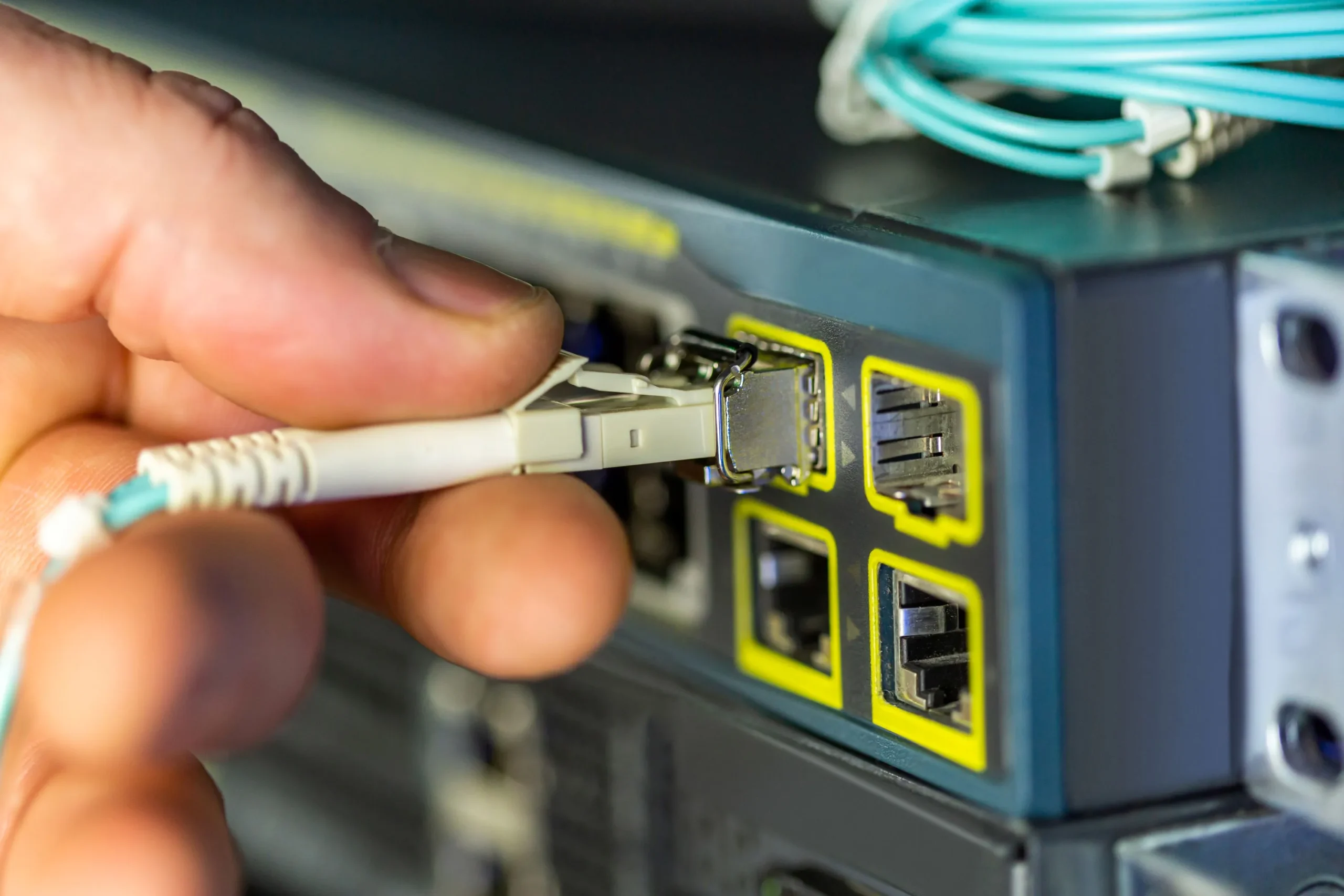
How fiber internet helps Wi-Fi 7
The most advanced Wi-Fi technology in the world is only as good as the internet service that feeds it. If your internet connection is a small, slow garden hose, having the latest Wi-Fi 7 router is like putting a large, industrial-grade pump on the end of it—it's not going to increase the water flow.
This is why pairing Wi-Fi 7 with fiber internet is a great way to achieve the performance benefits. Fiber is built on glass strands and uses light to transmit data, providing expanded capacity and a consistent connection.
The need for high-speed delivery
Wi-Fi 7 is designed to help support maximum theoretical speeds that exceed 40 Gigabits per second (Gbps). While typical consumer devices won't hit those speeds often, the overall throughput—the total amount of data the router can move to all devices—is dramatically improved.
If you have a slower internet connection, your router might be capable of 10 Gbps of internal Wi-Fi speed, but if your internet service only provides 100 Mbps (megabits per second), your maximum internet speed will still be 100 Mbps.
Quantum Fiber provides speeds of up to 500 Mbps and up to 940 Mbps, with multi-gig internet available in select locations offering speeds up to 2 Gig, up to 3 Gig, and up to 8 Gig. This enhanced capacity helps ensure your Wi-Fi 7 devices have the necessary fuel to perform at their peak.
Symmetrical speeds on most plans, and ultra lag-free gaming
When you are streaming a live game on a platform like Twitch or uploading a massive 4K video to a cloud server, the upload speed is just as critical as the download speed.
Quantum Fiber provides symmetrical speeds on most plans, where the upload and download speeds are the same. This synergy is critical for:
- Streamers and content creators: Symmetrical speeds help ensure that your live stream feed is stable and clear while simultaneously downloading game updates or viewing chat feeds, providing a smooth, consistent experience.
- Gamers: Coupled with the inherent low-latency of a fiber network, symmetrical speeds help provide a ultra low lag and reliable experience for competitive online gaming.
- Remote workers: Symmetrical speeds help guarantee that video conference calls remain clear while uploading large presentations or accessing cloud services, all while multiple family members are streaming 4K content in the background.
The sheer reliability of fiber, which helps keep connections consistent, combined with the efficient resource management of Wi-Fi 7, helps provide an enhanced online experience across many of your devices.
Key features that make Wi-Fi 7 a game changer
To truly appreciate why certain devices support Wi-Fi 7, it helps to understand the foundational technologies it introduces. Wi-Fi 7 isn't just a simple speed boost; it is a fundamental redesign of how wireless data is managed, especially in dense environments where multiple devices are competing for bandwidth.
Multi-link operation and enhanced capacity
Imagine your Wi-Fi connection is a single-lane highway. When traffic gets heavy, everything slows down. Wi-Fi 7 introduces two core improvements that essentially turn that single lane into a multi-lane, flexible superhighway: Multi-Link Operation (MLO) and the use of wider channels.
Multi-link operation (MLO): This feature allows a device (like a Wi-Fi 7 laptop or smartphone) to connect to the router using multiple frequency bands simultaneously—for example, connecting on both the 5 GHz (gigahertz) and 6 GHz bands at the same time. If one band becomes congested, the device can instantly shift traffic to the clearer band or use both together for combined speed. This dynamic balancing act helps provide a reliable experience and helps keep your devices connected, even during peak usage.
320 MHz channels: Wi-Fi 7 doubles the available channel width to 320 MHz (megahertz) in the 6 GHz band. Wider channels mean a much larger pipe for data transmission, which directly translates to enhanced speed for individual devices, such as when downloading a massive game file or rendering a cloud-based application.
Preamble puncturing: This is another major feature that helps with capacity. In older Wi-Fi, if one small part of a channel was already in use by a neighboring network or another device, the entire channel was blocked. Preamble puncturing allows the router to "puncture" or skip over the small, busy segment and still use the rest of the wide channel. This helps maximize efficiency and minimize disruptions, resulting in a more consistent performance.
Coverage benefits over Wi-Fi 6
One major consideration for homeowners is wireless coverage. While mesh networks (multiple Wi-Fi points placed around the home) are a common solution, Wi-Fi 7 helps provide greater coverage throughout your home than Wi-Fi 6. This expanded reach comes from the enhanced power and efficiency of the 6 GHz band and the superior signal processing of the new standard.
For many homes, this expanded range can help minimize the number of additional access points needed. However, it’s important to remember that every home layout is unique. When you choose Quantum Fiber, a technician will work with you during installation to find the best location for the main fiber equipment, to help optimize your whole-home Wi-Fi coverage.
Future-proofing your home with Quantum Fiber and Wi-Fi 7
Choosing Quantum Fiber means more than just selecting a speed tier; it means investing in a high-tech infrastructure that is ready for the future, including the full adoption of Wi-Fi 7. For the high-bandwidth user, this means a reliable foundation for all the demanding online activities across many of your devices.
Professional installation and network optimization
A key benefit of Quantum Fiber is the professional installation and network optimization provided. Our fiber technicians are experts in getting the connection from the street to your router with maximum efficiency.
What the installation helps ensure:
- Optimal router placement: The technician helps find the best, centralized physical location for your hard-wired Wi-Fi 7 pod, which is paramount for maximizing whole-home Wi-Fi coverage and helping minimize dead zones significantly.
- Best possible speeds: Since the connection uses fiber-optic cables, the likelihood of signal degradation is minimized, helping to maintain performance consistently to the router.
- Troubleshooting: The technician helps ensures your connection is working with reliable performance from the start, minimizing the potential for excessive buffering, high latency, or dropped connections.
Reliability you can count on
For anyone running a smart home, hosting a stream, or competing in a tournament, connection reliability is the ultimate metric. Dropped connections are not just frustrating; they can cost you a win, an audience, or a deadline. Quantum Fiber Internet® offers 99.9% reliability, based on network uptime or availability. This exceptional reliability is a natural feature of fiber technology, which is highly resistant to weather and electrical interference. When you combine fiber's inherent resilience with the stability and multi-link redundancy of a Wi-Fi 7 router, you get a powerful, consistent experience that helps keep you connected with ease.
Protecting your advanced network
As you connect more devices, from high-end gaming rigs to smart security systems, the need for robust security grows. A Wi-Fi 7 network can handle more data, and that data needs to be protected. Quantum Fiber helps keep your devices connected and offers security features that help protect your network from cyberthreats and unauthorized access.
The latest Wi-Fi 7 standards support WPA3 security, the strongest encryption protocol available. When paired with reliable Quantum Fiber service, you have a multi-layered defense that helps keep your smart home running smoothly and your personal data safe.

Future-ready shopping and final thoughts
The future of home connectivity is no longer just about speed—it’s about capacity, efficiency, and reliability. Wi-Fi 7 devices, from the latest smartphones and premium gaming laptops to the advanced routers provided by Quantum Fiber, are built to deliver on this promise.
For shoppers, keep a close eye on new technology launching in 2025, and beyond. These are the devices—from new phones to gaming PCs—that are most likely to include the native Wi-Fi 7 chipsets you need. Remember, Wi-Fi 7 is backward compatible, so you don't have to upgrade everything at once, but if you want to understand the limits of your older gear, check out our companion post: "Why your older devices may struggle with Wi-Fi 7".
By understanding what devices support Wi-Fi 7 and pairing them with a dedicated fiber connection that provides symmetrical speeds, on most plans, you can transform your home into a truly advanced network hub. Whether you are a competitive gamer seeking a ultra low lag connection, a streamer demanding minimal buffering during live uploads, or a smart home enthusiast managing dozens of high-bandwidth gadgets, the combination of Quantum Fiber and Wi-Fi 7 helps unlock an excellent home internet experience.
Ready to check if your home is ready for the future of fiber and Wi-Fi 7? Visit our website to check service availability in your area.
How do you plan to take advantage of the expanded capacity and low-latency of Wi-Fi 7 in your home?
Frequently asked questions
Do I need to upgrade all my devices to Wi-Fi 7 right away?
No, you do not. Wi-Fi 7 is fully backward compatible with older standards (Wi-Fi 6E, 6, 5, etc.). Your older devices will connect smoothly to a Quantum Fiber Wi-Fi 7 pod, but they will operate at their maximum speed based on their older standard. The benefits of Wi-Fi 7—such as multi-gig speeds, MLO, and enhanced capacity—will only be available to the devices that natively support the 802.11be protocol. You can upgrade your high-priority devices (like a gaming PC or streaming console) first, and then transition your other devices over time.
How can I check if my current device is Wi-Fi 7 compatible?
The simplest way is to look for the 802.11be designation in the product’s technical specifications. If you have a computer, you can often check the specifications of the installed network card. For smartphones, look at the specifications of the processor or wireless chip inside. If the device was released before late 2023, it is highly unlikely to support Wi-Fi 7. If the device is newer, look for branding or certification that explicitly mentions the Wi-Fi 7 standard.
Why is fiber internet service essential for Wi-Fi 7?
Wi-Fi 7 is designed to maximize the speed and efficiency of your internal home network. However, the data must enter your home first. Fiber internet is the only residential technology today that can help consistently provide the multi-gig speeds that fully match the capabilities of a Wi-Fi 7 router. Without a fiber connection, your Wi-Fi 7 device will be limited by the slower internet speed coming in. Quantum Fiber helps ensure you have the capacity for a wide range of online activities.
What is the most important benefit of Wi-Fi 7 for a gamer?
The single most important benefit is the dramatic reduction in low-latency and enhanced connection stability. Wi-Fi 7's features, particularly Multi-Link Operation (MLO), mean that your gaming device has a constisent experience. This helps eliminate the micro-stutters and high-ping moments that competitive gamers dread, helping provide a consistent connection that helps ensure reliable performance.
Content Disclaimer - All content is for informational purposes only, may require user’s additional research, and is provided “as is” without any warranty, condition of any kind (express or implied), or guarantee of outcome or results. Use of this content is at user’s own risk. All third-party company and product or service names referenced in this article are for identification purposes only and do not imply endorsement or affiliation with Quantum Fiber. If Quantum Fiber products and offerings are referenced in the content, they are accurate as of the date of issue. Quantum Fiber services are not available everywhere. © 2026 AT&T Intellectual Property. AT&T and the Globe logo are registered trademarks of AT&T Intellectual Property. All other marks are the property of their respective owners.