

The holiday season often means long road trips, airport layovers, and joyous (but sometimes hectic) visits with family and friends. While travel can be a wonderful escape, it shouldn't mean taking a vacation from your internet security. Many people rely on being connected to manage everything from travel bookings and remote work tasks to checking in on smart home security systems. Getting a stable connection is one thing, but knowing how to get a secure internet connection when traveling is vital for safeguarding your personal data.
This guide is designed for travelers who want to maintain robust digital protection and secure internet access while traveling, whether you're using public Wi-Fi, a mobile hotspot, or connecting your devices on a relative’s network. We will walk you through the essential steps to prepare your devices before you leave and maintain security while you are on the road.
Key takeaways
- Avoid public Wi-Fi for sensitive tasks: Never access banking, work email, or shopping sites over unsecured public Wi-Fi in airports or cafes.
- The VPN is your best friend: Using a Virtual Private Network (VPN) is the single most effective way to secure your connection, as it encrypts your data, helping prevent cyberthreats from accessing it.
- Mobile hotspots offer superior security: Your personal mobile hotspot provides a dedicated, password-protected, and generally far safer connection than public Wi-Fi.
- Perform a pre-trip security check: Update all operating systems and apps, and enable multi-factor authentication (MFA) on all critical accounts before leaving home.
- Limit smart device exposure: When visiting others, connect smart devices (like tablets or pet cams) only to a dedicated guest Wi-Fi network, if available, to isolate them from the host's primary network.
- Leverage symmetrical speeds for security: Quantum Fiber has symmetrical speeds on most plans which can help ensure security camera footage uploads instantly and reliably, creating peace of mind while you are away.
Feel free to jumb to sections that interest you the most:
- The public Wi-Fi predicament: Understanding the risks
- Your private lifeline: Mastering mobile hotspots
- Pre-trip device hygiene: Ensuring internet security while traveling
- Smart travel with smart devices: From home security to family visits
- The ultimate travel preparation: Starting with Quantum Fiber
- Enjoying virtually lag-free connectivity when you return
- Frequently asked questions about travel connectivity
- Ready to connect securely
The public Wi-Fi predicament: Understanding the risks
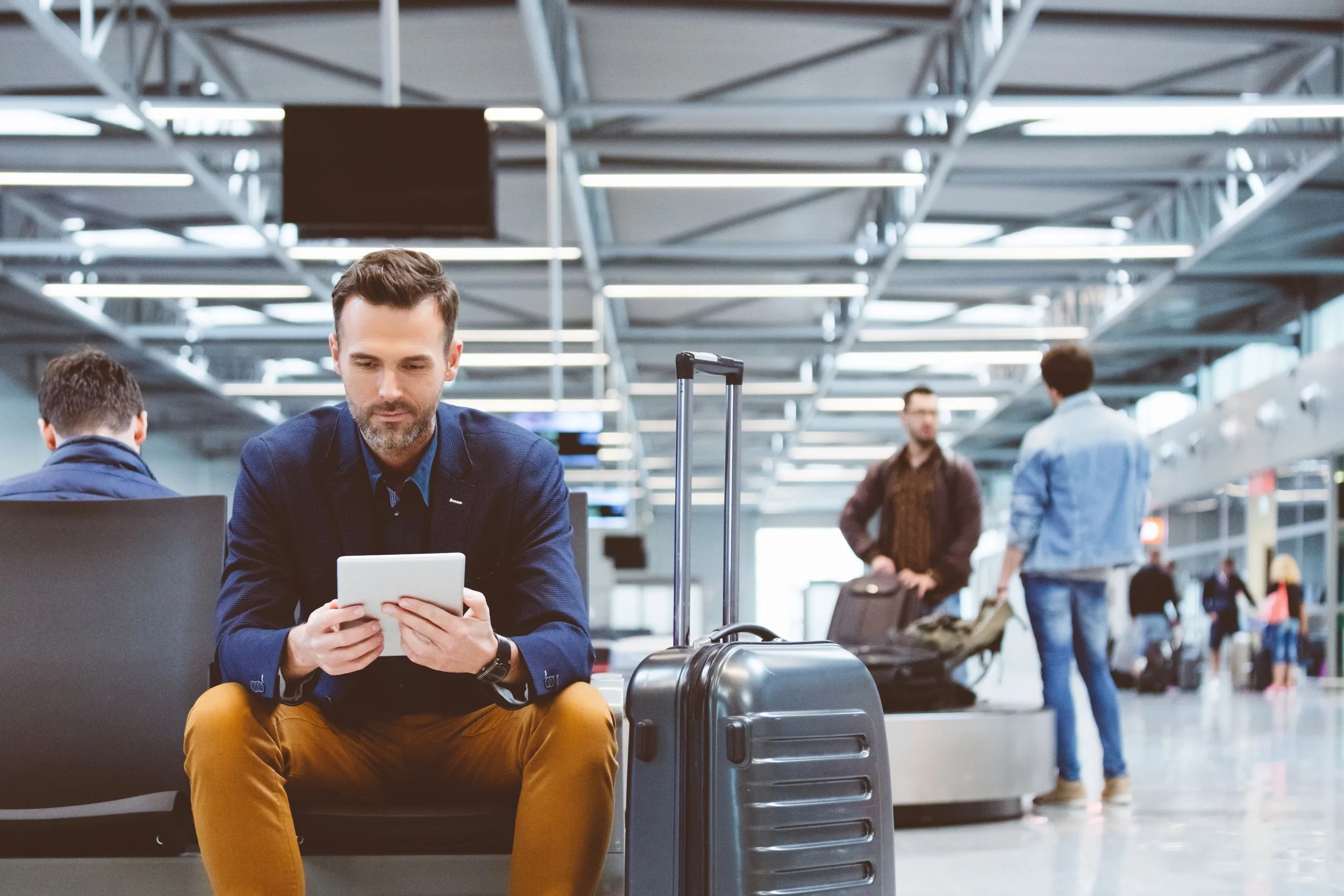
Public Wi-Fi is a convenient necessity of modern travel, readily available in airports, cafes, and hotels. However, this convenience often comes at the cost of your privacy and internet security while traveling. Many public networks lack fundamental security protocols, making them fertile ground for cyberthreats. Understanding these risks is the first step toward knowing how to get a secure internet connection when traveling.
The hidden dangers of free Wi-Fi
When you connect to a public Wi-Fi network, you are essentially sharing that digital space with everyone else nearby. If the network is unsecured—meaning it does not require a password, or the password is widely known—a hacker can easily position themselves between your device and the access point. This vulnerability leads to several common threats:
- Man-in-the-Middle (MITM) Attacks: In this scenario, a cybercriminal intercepts the communication between your device and the server you are trying to reach (like your bank’s website). They can then read, steal, or modify the data you transmit, thinking you are securely connected to the legitimate website.
- Malicious Hotspots (Evil Twins): This is where a hacker sets up a rogue Wi-Fi network with a name identical or very similar to the legitimate one (e.g., “Hotel Guest Wi-Fi” instead of “Hotel_Guest_Wi-Fi”). If you connect to the wrong one, the hacker has full view of your data from the start, bypassing any security the legitimate network might have.
- Unencrypted Traffic: Even on some password-protected public networks, the data transmitted between your device and the router may not be encrypted. If you log into a non-HTTPS (Hypertext Transfer Protocol Secure) website, your login credentials, personal information, and anything you type can be visible to anyone monitoring the network.
Because of these inherent risks, using public Wi-Fi should only be reserved for low-stakes activities, such as checking movie times or reading general news headlines. Any activity involving personal information, passwords, or financial transactions should be handled using a much more reliable and secure method.
How to get a secure internet connection when traveling: The VPN imperative
If you absolutely must use public Wi-Fi, the most effective and essential tool for helping to ensure secure internet access while traveling is a Virtual Private Network (VPN).
A VPN creates an encrypted tunnel between your device and a server controlled by the VPN provider. All your internet traffic—from browsing data to banking information—is scrambled inside this tunnel before it travels over the public network.
How a VPN helps protect your data:
- Encryption: The data is turned into an unreadable code. Even if a cybercriminal intercepts your connection on the public Wi-Fi, they only see gibberish, helping protect your sensitive information.
- Anonymity: The VPN hides your device's true Internet Protocol (IP) address, replacing it with the IP address of the VPN server. This helps keep your location and identity private from the public Wi-Fi provider and potential eavesdroppers.
- Bypassing restrictions: In some travel situations, a VPN can help you access websites or streaming services that are geo-restricted.
When choosing a VPN, look for a reputable service that offers a clear no-logging policy, strong encryption standards, and a large global network of servers. Installing a VPN application on your laptop and smartphone before you leave is a crucial step in preparing for internet security while traveling.

Your private lifeline: Mastering mobile hotspots
When seeking how to get a secure internet connection when traveling, nothing beats creating your own private, password-protected network. Mobile hotspots are the preferred method for travelers who need reliable security and consistent connectivity for tasks like videoconferencing or accessing cloud documents.
Setting up a secure mobile hotspot
Your smartphone can double as a secure mobile hotspot by leveraging your cellular data connection. Since this connection is private and relies on cellular encryption protocols, it is inherently more secure than any open public Wi-Fi network.
Best practices for using your phone as a mobile hotspot:
- Use a strong password: Ensure your hotspot network uses a complex password that is difficult to guess. Avoid using simple sequences or personal information. A strong password should combine uppercase letters, lowercase letters, numbers, and symbols.
- Monitor your data usage: Mobile hotspot usage can quickly consume your monthly cellular data allowance, especially if you use it for streaming or downloading large files. Keep track of your usage through your phone’s settings or your carrier's app.
- Disable when not in use: Turn off the mobile hotspot feature when you are finished using it. This helps conserve your phone’s battery life and helps minimize the risk of unintended connections.
- Use a data-blocking cable: When charging your phone in public—even if you're not using it as a hotspot—use a power outlet instead of a public USB charging port. If you must use a public USB port, consider carrying a data-blocking adapter to physically prevent data transfer, helping protect your device against "juice jacking," a tactic where public USB ports are used to transfer malware.
Considering a dedicated hotspot device
While your smartphone is convenient, heavy travelers or remote workers may benefit from a dedicated mobile hotspot device (also called a "pocket Wi-Fi" or Mi-Fi).
Advantages of a dedicated hotspot:
- Battery life: It takes the strain of acting as an access point off your phone, extending your phone's battery life for calls and navigation.
- Performance: These devices are often optimized for network sharing, potentially helping provide a more stable connection than a phone, depending on the model and cellular plan.
- Security focus: A dedicated device is built for one purpose—secure connectivity—and often allows for customized security settings.
Whether you use your phone or a dedicated device, a private hotspot is an outstanding way to help ensure secure internet access while traveling for critical tasks like remote work, financial management, or video calls back home.
Pre-trip device hygiene: Ensuring internet security while traveling
Before you even pack your suitcase, you should perform a security check on every device you plan to take with you. This proactive step helps minimize your risk exposure and helps provide a foundation for internet security while traveling.
Software updates and two-factor authentication (2FA)
Outdated software is a common gateway for cyberthreats. Software developers regularly release updates to patch security vulnerabilities that hackers have discovered. If you skip these updates, you leave a door open for unauthorized access.
Steps to take before you leave:
- Update everything: Install the latest updates for your operating systems (iOS, Android, Windows, macOS), web browsers, and all frequently used apps.
- Enable multi-factor authentication (MFA): Multi-factor authentication, often called 2FA (two-factor authentication), is a crucial second layer of security. It requires a second form of verification (such as a temporary code sent to your phone or generated by an app) in addition to your password. This helps keep your accounts safe even if your primary password is stolen during travel. Enable 2FA on every service that offers it, especially banking, email, cloud storage, and social media accounts.
- Review passwords: Make sure all your device passcodes and key account passwords are strong (long, unique phrases combining various characters). Consider using a reputable password manager to help keep track of the complex, unique passwords you should use for all your accounts.
Managing location services and file sharing
Many devices come with default settings that are convenient at home but risky on the road. Adjusting these settings can significantly enhance internet security while traveling.
- Turn off auto-connect: Configure your smartphone and laptop settings to prevent them from automatically joining available Wi-Fi networks. Manually selecting a network helps ensure you are deliberately choosing a connection, rather than accidentally joining a malicious "evil twin" hotspot.
- Disable unused connectivity: Turn off features you aren't actively using, such as Bluetooth, when you are in transit or in public. Bluetooth can be exploited by nearby hackers looking for open connections to compromise your device. Likewise, turn off the Wi-Fi radio altogether when you are not actively using the internet.
- Disable file sharing: File sharing features, like AirDrop on Apple devices or network sharing on Windows, are designed to work seamlessly on a trusted home network. On public Wi-Fi, however, these features can provide unauthorized users with a direct entry point into your device. Go into your settings and ensure all file-sharing capabilities are completely disabled or set to "private" or "off" when connected to any public network.
Taking these steps helps ensure that your devices are not broadcasting invitations to potential cyberthreats and helps provide a safer connection, regardless of where you decide to get secure internet access while traveling.
Smart travel with smart devices: From home security to family visits
The rise of the smart home means many travelers are now carrying or using sensitive connected devices, such as smart watches, portable speakers, and security cameras. Managing these devices securely is another vital element of internet security while traveling.
Remote home monitoring and automated security tips
One of the great benefits of having fiber internet, like the service provided by Quantum Fiber, is the ability to securely monitor your home remotely and leverage automation for security. The reliable service, which offers 99.9% reliability, based on network uptime or availability, helps ensure your security systems remain accessible while you are away.
To help keep your home secure while traveling:
- Secure camera uploads with symmetrical speeds: Security cameras rely on upload speed to send video clips instantly to the cloud or a secure server. The symmetrical speeds, on most plans, help ensure that when a motion event is detected, the high-definition footage is uploaded practically immediately and reliably. This helps minimize delays and helps ensure you receive and view a real-time record of any activity at home, which is crucial for remote security management.
- Automate lighting to deter intruders: Use your smart lighting system to automate lights turning on and off in different rooms throughout the evening. This randomized pattern makes it appear as if someone is home, even when you are thousands of miles away. You can easily control and adjust these schedules from your phone, which is a key part of leveraging secure internet access while traveling for home protection.
- Check connections before departure: Verify that all smart locks, cameras, and environmental sensors (like leak detectors) are communicating properly with their respective apps. A simple check helps minimize the risk of them going offline while you're thousands of miles away.
- Help ensure remote access is secure: Use strong passwords and 2FA for all applications that allow you to remotely view your camera feeds or control your locks and lights.
- Use the low-latency advantage: The Quantum Fiber network is designed to be a low-latency internet service, meaning the delay between sending a signal and receiving a response is minimal. This is critical for remote monitoring, as it helps ensure that when you check a live video feed or send a command to your smart thermostat, the response is virtually instantaneous, helping you react quickly to any potential issues at home.

Using guest Wi-Fi when visiting family
When you arrive at a relative’s house for the holidays, using their main Wi-Fi network introduces a risk to both you and your host. Your devices, especially older smart devices, could introduce malware or vulnerabilities to their primary network.
The simplest and most polite solution is to use a separate network.
Best practices for guest connectivity:
- Ask for the guest network: Encourage your host to set up a guest network (if their router supports it) and connect your devices, including laptops and gaming consoles, to that network. A guest network helps isolate your devices from their financial and work-related devices, creating a layer of security for both parties.
- Isolate portable smart devices: If you travel with your own smart speaker, streaming stick, or smart clock, connecting it to the guest network is crucial. These devices often have minimal built-in security and could be exploited if left on the host's main Wi-Fi.
- Offer a portable router: For extended stays, a high-quality travel router can create a personal, dedicated, encrypted network for your family’s devices. You would connect the travel router to the host's guest network, and then connect your devices to your travel router. This adds an extra layer of encryption and control, giving you secure internet access while traveling within the host's house.
The ultimate travel preparation: Starting with Quantum Fiber
The best way to feel secure while traveling is to know that your digital life is squared away before you leave, and that your home is supported by a reliable network. The underlying technology of Quantum Fiber Internet® helps set the stage for seamless and secure travel preparation.
How symmetrical speeds enhance travel peace of mind
Symmetrical speeds—where the upload speed (the time it takes to send data) matches the download speed (the time it takes to receive data)—available on most fiber plans. Quantum Fiber helps provide speeds of up to 500 Mbps (megabits per second) and up to 940 Mbps, with multi-gig speeds in select locations up to 8 Gig.
While most people focus on download speed for streaming or browsing, travelers benefit tremendously from the fast upload speeds that symmetry helps provide.
Symmetrical speed benefits for travelers:
- Reliable data backup: Before leaving for a long trip, you likely have hundreds of photos and videos to back up to the cloud. Fast upload speeds help minimize the time it takes to move these large files to secure storage, helping ensure that if your phone or camera is lost or stolen on the road, your precious memories are already safe at home.
- Remote work efficiency: If you are a remote worker traveling for the holidays, you might need to upload large presentations, data files, or code. The upload speeds of fiber internet helps provide a virtually seamless experience for collaboration, reducing the risk of excessive buffering or delays that can plague non-symmetrical connections.
Consistent smart home control: Upload speed is critical for controlling all your smart home devices from afar. Whether you're turning lights on and off to simulate activity or reviewing a security feed, the fast, reliable upload speeds help keep your home monitoring system functioning smoothly, giving you consistent access to your property while you are away.
Enjoying virtually lag-free connectivity when you return
While the focus of this trip is security and connectivity while away, coming home to a high-quality internet experience is just as important. The robust nature of the fiber network helps provide a consistent, high-bandwidth connection that is built for the modern, connected home.
With Quantum Fiber, the focus is on a reliable and virtually seamless experience. This low-latency internet is essential for everything from video calls to online gaming, helping provide a responsive connection that is crucial for a wide range of data-intensive activities. It all adds up to an excellent whole-home coverage solution, minimizing connection drops and helping ensure your connected device runs smoothly upon your return.
Frequently asked questions about travel connectivity
What is the most secure way to connect to the internet while traveling?
A reliable method for secure internet access is to use a personal mobile hotspot (from your smartphone or a dedicated device) paired with a VPN. The personal hotspot helps provide a private, password-protected network, and the VPN helps protect all data traveling over it with encryption. This combination is how to get a secure internet connection when traveling for sensitive tasks like online banking or remote work.
How can I make sure my laptop is secure on public Wi-Fi?
In addition to using a VPN, you should:
- Disable file sharing: Turn off all file and printer sharing functions in your system settings.
- Use a firewall: Make sure your device's built-in firewall is active to help protect your device from unsolicited connections.
- Verify HTTPS: Only visit websites that display "HTTPS" in the address bar (indicated by a padlock icon) when on public networks.
These steps, combined with strong passwords, are essential for internet security while traveling.
Should I bring my smart home devices with me on vacation?
It is generally best to limit the number of smart devices you bring, as each one is a potential entry point for cyberthreats. If you must bring one (like a portable gaming console or a speaker), always connect it to a secure, dedicated network, such as your own mobile hotspot or a guest network that is separate from your host’s main Wi-Fi. This practice is part of secure internet access while traveling and helps minimize potential security risks to both your host and yourself.
How does Quantum Fiber help me prepare for a trip?
Quantum Fiber, with symmetrical speeds on most plans, helps you prepare by offering upload speeds the same as download speeds. This enhanced upload capacity helps minimize the time it takes to perform large cloud backups of photos, videos, and documents before you leave. Knowing your data is backed up to a secure cloud server at fiber speeds helps provide peace of mind, allowing you to travel without worrying about data loss from a stolen or damaged device.
What is two-factor authentication (2FA) and why is it important for travel?
Two-factor authentication (2FA) is a security measure that requires two distinct pieces of evidence to verify your identity: typically something you know (your password) and something you have (a temporary code sent to your phone). It is important for travel because even if a hacker steals your password on an unsecured network (a major failure in internet security while traveling), they cannot access your account without the second factor of authentication.
Ready to connect securely
Preparing for holiday travel is all about planning, packing, and making sure your digital life is just as secure as your luggage. By prioritizing tools like a VPN, embracing your mobile hotspot as your primary source of secure internet access while traveling, and making a few key adjustments to your devices before you depart, you can enjoy your time away with confidence.
Whether you're uploading vacation photos or checking in on your home security cameras, the reliable and responsive connection of Quantum Fiber Internet is ready for you when you return. You never know—you might even find Quantum Fiber available at your destination, helping provide you with that same high-quality fiber experience while you're away.
Ready to experience a connection that makes travel prep easier and remote monitoring virtually seamless? Check your service availability today and discover how Quantum Fiber helps connect your home to the future of internet connectivity.
What's the one security tip you always share with family and friends before they head out for the holidays?
Content Disclaimer - All content is for informational purposes only, may require user’s additional research, and is provided “as is” without any warranty, condition of any kind (express or implied), or guarantee of outcome or results. Use of this content is at user’s own risk. All third-party company and product or service names referenced in this article are for identification purposes only and do not imply endorsement or affiliation with Quantum Fiber. If Quantum Fiber products and offerings are referenced in the content, they are accurate as of the date of issue. Quantum Fiber services are not available everywhere. Quantum Fiber service usually means 100% fiber-optic network to your location but, in limited circumstances, Quantum Fiber may need to deploy alternative technologies coupled with a non-fiber connection from a certain point (usually the curb) to your location in order to provide the advertised download speeds. ©2026 Q Fiber, LLC. All Rights Reserved. Quantum, Quantum Fiber and Quantum Fiber Internet are trademarks of Quantum Wireless LLC and used under license to Q Fiber, LLC.