
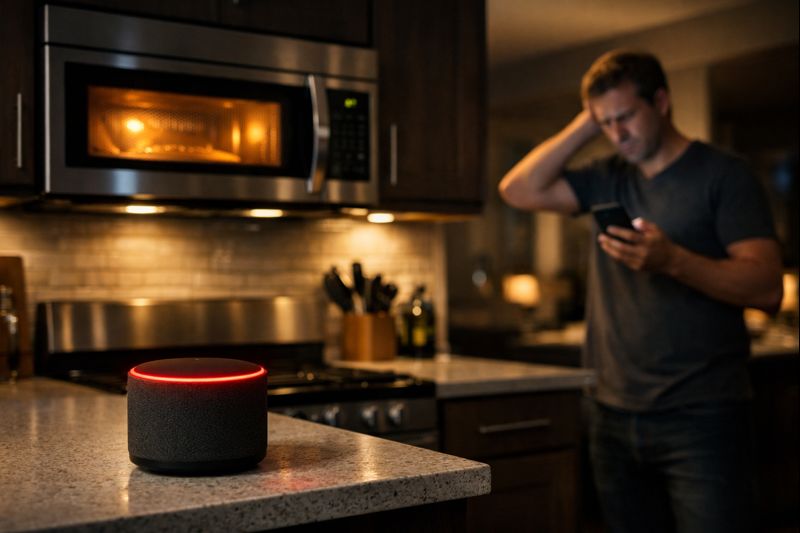
It is a bizarre but common scenario: You pop a bag of popcorn in the microwave, and suddenly, your smart speaker stops playing music or your security camera feed cuts to black. You might think it is a coincidence, but for many residents, the kitchen is actually a hidden "dead zone" for wireless signals. If you have ever wondered why your smart home devices dropping offline seems to happen at the most random times, the culprit might be sitting right on your kitchen counter.
Direct Answer: Yes, microwaves can sabotage smart home connections because they operate on the 2.4 GHz (gigahertz) frequency, the same band used by most smart home devices. This causes electromagnetic interference that drowns out Wi-Fi signals. Upgrading to advanced Wi-Fi technology powered by Wi-Fi 7 helps bypass this interference by utilizing multiple frequency bands for a more stable connection.
Key takeaways
- The microwave effect: High-powered appliances emit signals that can physically "jam" the 2.4 GHz band used by smart tech.
- Frequency traffic jams: Most smart home devices share a single, crowded "lane" of wireless traffic that is easily disrupted.
- Proximity is key: Devices located physically close to the kitchen are the most likely to experience dropouts during meal prep.
- Wi-Fi 7 helps: Next-gen hardware helps manage these interference spikes by automatically shifting data to clearer frequencies.
Jump to the sections that matter most to you
The science of the "microwave blackout"
To understand why your microwave is sabotaging your smart home connection, we have to look at how wireless signals move through your house. Most smart home devices—like those budget-friendly smart bulbs and plugs—rely on the 2.4 GHz (gigahertz) frequency. Coincidentally, this is the exact same frequency that microwave ovens use to heat your food.
While microwaves are shielded to keep that energy inside, they aren't leak-proof. Even a tiny amount of "noise" escaping from the oven can overwhelm the relatively weak signals sent by a smart light switch or a sensor. When the microwave is running, it essentially screams over the quiet "conversation" between your device and your hardwired Wi-Fi pod. This is one of the most common reasons for smart home devices dropping offline in homes with open-concept floor plans.
Why smart devices are stuck in the "slow lane"

If the 5 GHz band is a wide, modern highway, the 2.4 GHz band is more like a narrow, bumpy country road. Most smart home enthusiasts don't realize that their most advanced gadgets are often forced onto this older, more crowded road. Manufacturers choose 2.4 GHz because it travels through walls better and costs less to produce, but it is incredibly susceptible to congestion.
When you have 20 or 30 devices all trying to use that same "country road," any additional obstacle—like a running microwave or even a neighbor's Wi-Fi—can cause a total standstill. This congestion means that even if your internet is fast, your devices can't get their "orders" through the noise, leading to that dreaded "offline" status.
Identifying other household saboteurs
The microwave might be the loudest offender, but it isn't the only one. Many common household items act as silent saboteurs for your smart home connection:
- Baby monitors: Many older models use the same 2.4 GHz frequency and can constantly "shout" over your smart home hub.
- Mirrors and metal: Large mirrors (which have a metal backing) and stainless steel appliances act as shields, reflecting Wi-Fi signals away from your devices.
- Aquariums: Water is surprisingly effective at absorbing Wi-Fi signals. If your hardwired Wi-Fi pod is sitting behind a large fish tank, your devices on the other side will struggle to stay connected.
How router placement helps minimize interference
One of the easiest ways to help protect your connection is through strategic placement. When your Quantum Fiber service is being installed, a professional technician will work with you to find the ideal location for your equipment.
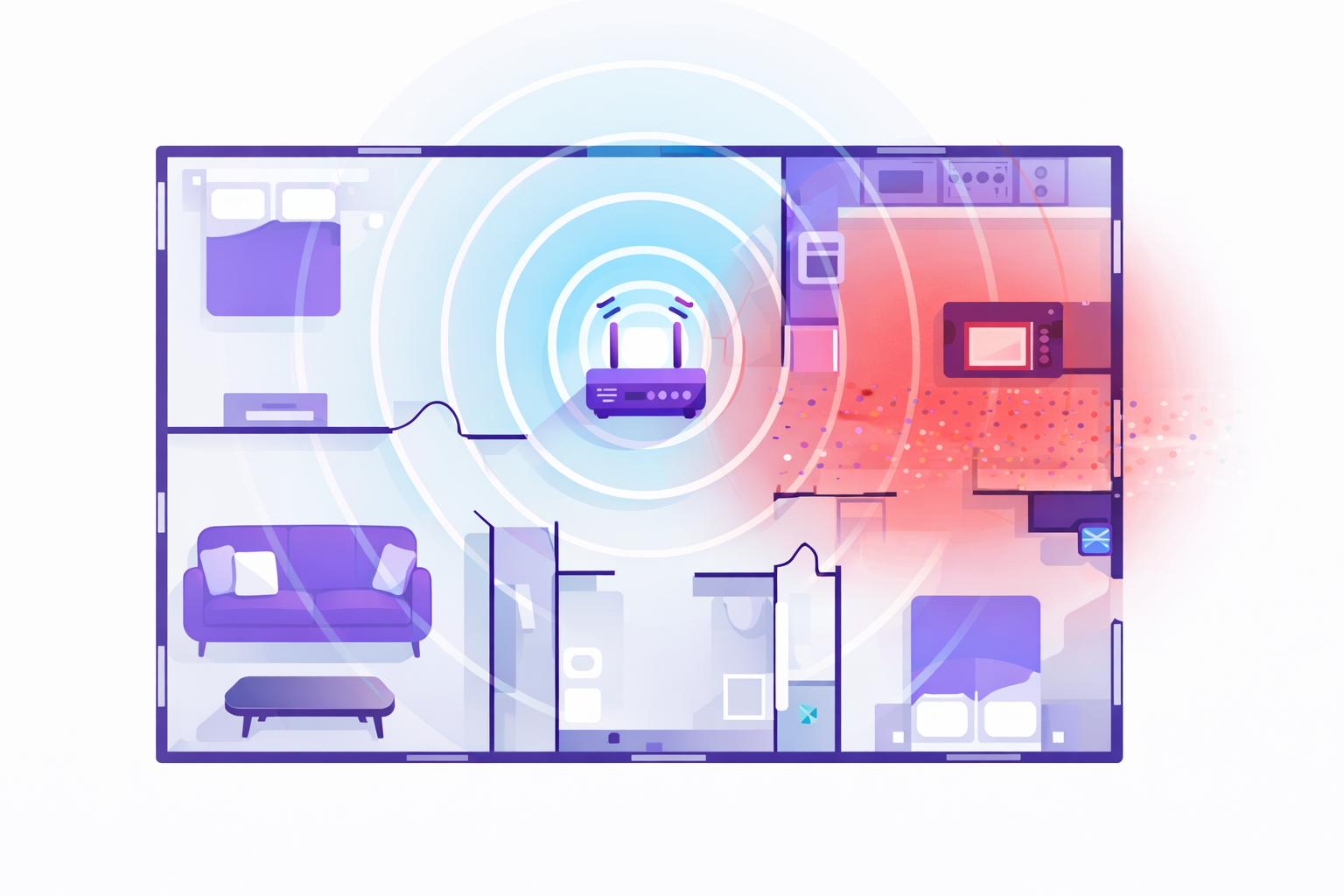
If you notice specific smart home devices dropping offline more than others, look at the "line of sight" between the device and your router. Is there a microwave, a refrigerator, or a thick brick wall in the way? Shifting your router just a few feet can sometimes be enough to help provide better coverage throughout your home and move your devices out of the "interference zone."
Solving the sabotage with advanced Wi-Fi technology
While you can move your furniture around, the real solution to interference lies in better technology. Modern Wi-Fi 7 technology is specifically designed for the high-density, high-interference world we live in. It helps provide better coverage throughout your home than Wi-Fi 6 by using "Multi-Link Operation," which allows devices to send and receive data across different frequencies at the same time.
This means if the 2.4 GHz band is getting "jammed" by your microwave, a Wi-Fi 7-enabled system can instantly shift the workload to a clearer frequency. When you pair this with a fiber-optic network that offers symmetrical speeds on most plans, you get a much more resilient environment. High bandwidth helps support many modern devices at once with minimal lag, based on fiber’s capacity, helping ensure that your home stays smart even when the microwave is making popcorn.
Frequently asked questions
Does every microwave cause Wi-Fi interference?
Almost all microwaves emit some level of 2.4 GHz interference, but older or damaged units with degraded shielding are usually much worse. If your Wi-Fi drops every time you use the microwave, it’s a clear sign of interference.
Why does my phone stay connected while my smart bulbs drop off?
Most modern phones use the 5 GHz or 6 GHz bands, which are unaffected by microwave interference. Most smart bulbs are limited to the 2.4 GHz band, which is why they are the first to go offline.
Can "pods" help with microwave interference?
Yes. Using additional Wi-Fi hardware, like pods, helps create a "mesh" that provides alternative paths for your data to travel. If one path is blocked by kitchen interference, the system can help find a clearer route.
Reclaiming your connected kitchen
Your smart home should be able to handle a little snack prep without falling apart. By recognizing that your microwave might be sabotaging your smart home connection, you can take control of your network's layout. Whether it is moving your equipment, upgrading your devices, or switching to a service that offers 99.9% reliability, based on network uptime or availability, stability is within reach.

If you are ready to stop the "offline" cycle and want a network that helps maintain performance even in a busy household, it’s time to explore the benefits of fiber. Advanced Wi-Fi technology helps minimize the potential for bottlenecks, ensuring your devices stay connected through mealtime.
Curious if you could benefit from a more stable connection? You can check availability to see if Quantum Fiber is available in your area and start building a sabotage-proof smart home today.
Content Disclaimer - All content is for informational purposes only, may require user’s additional research, and is provided “as is” without any warranty, condition of any kind (express or implied), or guarantee of outcome or results. Use of this content is at user’s own risk. All third-party company and product or service names referenced in this article are for identification purposes only and do not imply endorsement or affiliation with Quantum Fiber. If Quantum Fiber products and offerings are referenced in the content, they are accurate as of the date of issue. Quantum Fiber services are not available everywhere. © 2026 AT&T Intellectual Property. AT&T and the Globe logo are registered trademarks of AT&T Intellectual Property. All other marks are the property of their respective owners.